MCP SERVER & CLIENT
LiteYour workspace, on the AI bus.
Rostyman speaks the Model Context Protocol — as both a server and a client. Let AI agents like Claude Desktop browse your collections, run requests, query databases, manage workflows, and more. Or connect out to any MCP server from within the app.
Why this is different
MCP is how AI agents get real tools instead of just talking. We're one of the first API clients to ship MCP both ways — expose your workspace, or test and debug other people's MCP servers. No plugin. No external proxy. Just check the box.
Rostyman as MCP Server
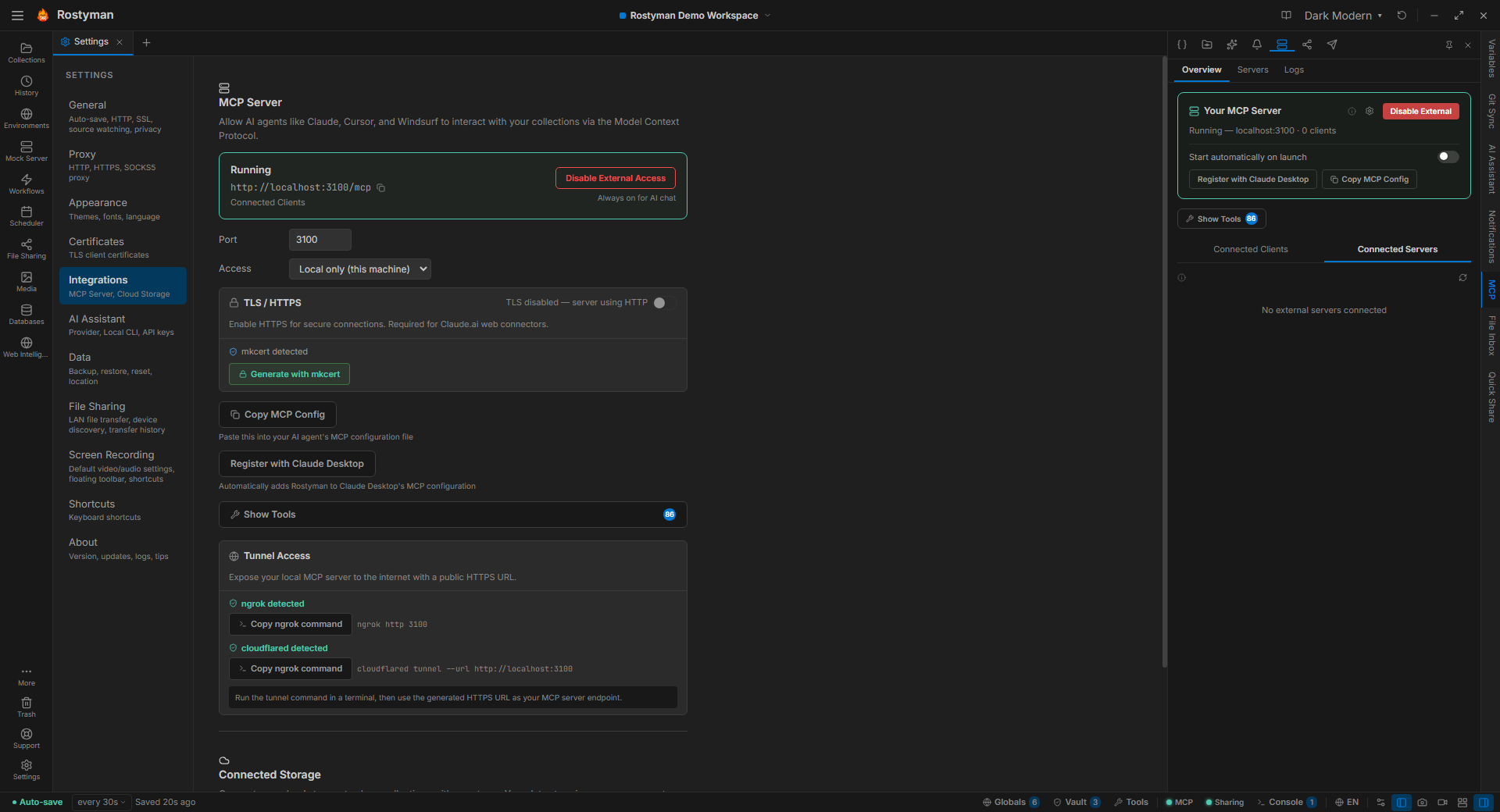
Your workspace becomes a complete set of tools Claude Desktop (or any MCP client) can call. Turn it on from Settings, copy the registration snippet, and your AI agent gains full read and write access across every module — with audit logging on every call.
86 tools across 9 categories
Browse, search, create, update, delete, and duplicate collections, folders, and requests. Send requests, run collections, read history.
List, get, create, update, and delete environments. Set, delete, or bulk-set variables in any scope. Activate an environment.
List, get, create, update, auto-layout, delete, and duplicate workflows. Fetch workflow run history.
List connections and projects, connect and disconnect, run queries, introspect schemas, run EXPLAIN, manage connection configs.
List saved and running servers, start and stop them, create and delete configs, add, update, and remove individual routes.
List, create, update, toggle, run immediately, fetch run history, and delete scheduled cron jobs.
List, get, create, run, inspect, and delete browser tests. Manage test projects and groups. Fetch run results and scan history. (Beta)
List, set, delete, and toggle vault secrets. Values are always masked in responses.
navigate_to — move the in-app view to any module so the AI can direct the user's attention.
7 resources
rostyman://collectionsAll collections in the workspace as browsable JSON.
rostyman://collections/{collectionId}Full collection tree — folders and request list — for a specific collection.
rostyman://requests/{requestId}Complete saved request definition: method, URL, headers, body, auth config.
rostyman://environments/{environmentId}All variables in an environment. Secret values are masked.
rostyman://historyRolling request history — last 50 responses across all collections with status, timing, and URL.
rostyman://globalsWorkspace-wide global variables. Secret-type values are masked.
rostyman://vaultVault secret keys and metadata. Values are never returned — keys only.
Three ways to connect
stdio
Claude Desktop registers Rostyman via stdio with a single JSON config entry. Zero network config.
HTTP / SSE
localhost:3100 with auth token, rate limiting, and request logging. Great for web-based clients.
TLS + Tunnels
HTTPS via mkcert for local TLS. Expose remotely with ngrok or cloudflared (auto-detected).
Rostyman as MCP Client
Test other people's MCP servers the way you'd test a REST API. Add a server, list its tools and resources, call them directly, inspect responses. Ideal if you're building MCP servers yourself.